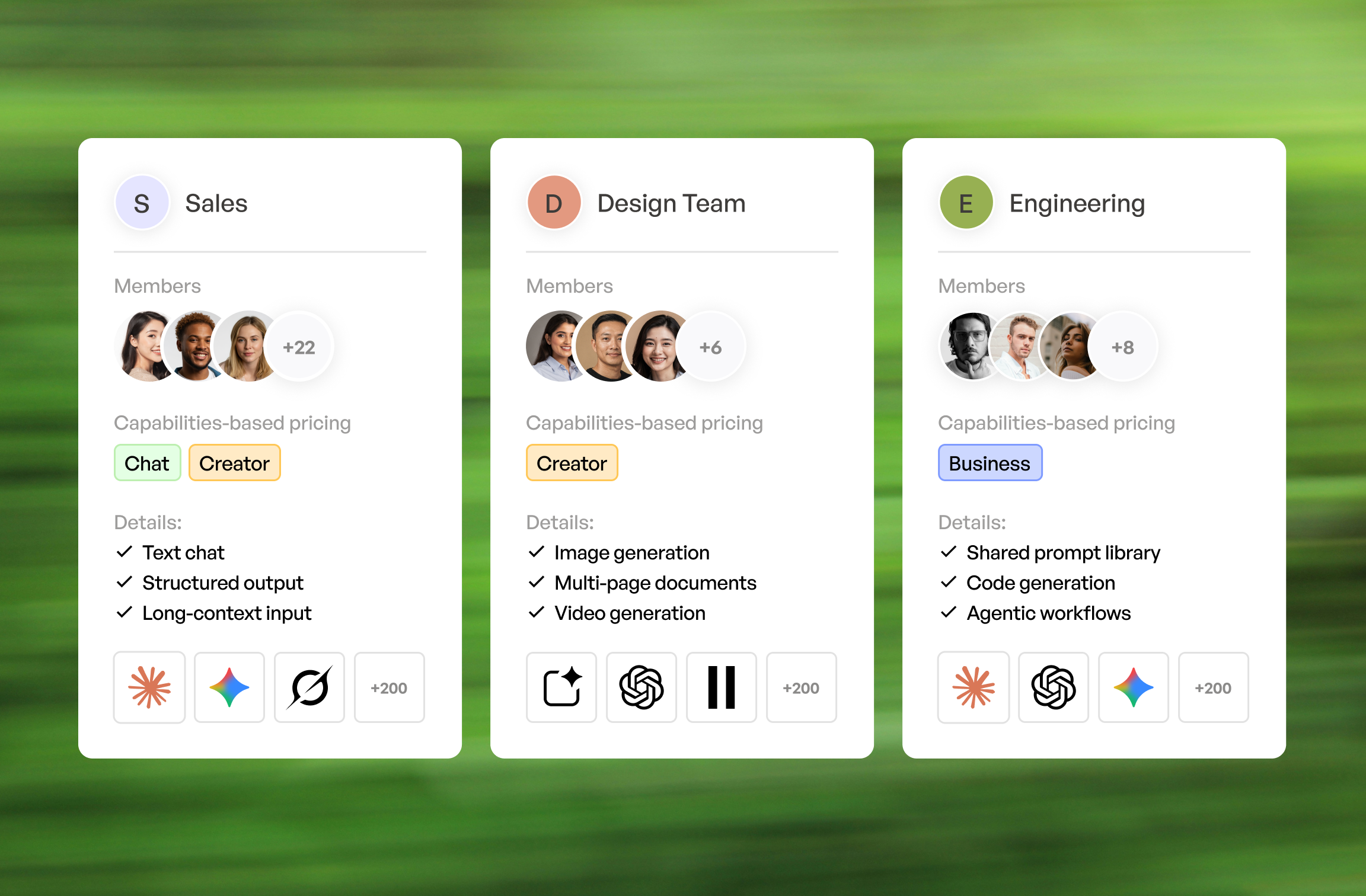

How to mix Nevo plans across your team — without overpaying.
This guide compares options using the same criteria throughout: pricing model, supported providers and models, latency, reliability, tooling, and governance....




This guide compares options using the same criteria throughout: pricing model, supported providers and models, latency, reliability, tooling, and governance.
Nevo is an LLM routing and provider aggregation layer that sits between your app and multiple model
providers. It offers a unified API surface so you can call different models through a single endpoint, often using an OpenAI-compatible API pattern for chat completions, embeddings, streaming, and sometimes tool calling or function calling.
Teams commonly evaluate a switch when cost predictability becomes more important than convenience. They also move when enterprise controls, self-hosted deployment, compliance requirements, or deeper observability are needed than a general-purpose multi-provider gateway typically exposes by default.
The comparison criteria used below stays consistent so you can map options to your own production AI systems. Focus on pricing approach (pass-through pricing vs markup), provider coverage, latency overhead (especially first token latency), reliability controls (retries, fallback routing, circuit breaker behavior), and governance (RBAC, SSO, audit logs, data retention, and PII redaction).
Before migrating, capture what you actually run in production rather than what you intended to run.
Then lock down your non-negotiables so vendor conversations stay short.
Others lock your company into one plan. We let you match your employees with the plan that fits them. No overpaying, no missing capabilities.
Book a demoDifferent stacks need different “gateways,” even when they all claim LLM routing. Use these quick picks to shortlist, then validate with a latency benchmark and a cost model.
Trade-offs show up fast once you run real traffic. Managed convenience usually wins on time-to-value, while control wins on compliance, data locality, and bespoke model routing logic.
No single option is universally “best,” because routing logic, logging depth, and operational maturity vary by team. A small startup may prioritize fast iteration, while a regulated enterprise may prioritize auditability and deterministic data retention.
Managed platforms tend to bundle routing, spend controls, and dashboards into one AI workspace. They are usually the fastest path to policy enforcement without building an internal API gateway layer for LLMs.
Business plan positions itself as an observability-oriented AI workspace with policy controls. It typically covers multi- provider routing, caching, rate limiting, retries, fallback routing, and dashboards for metrics, tracing, and prompt logging.
Business plan is a strong fit when you want a managed control plane with spend controls and budget alerts. It is also useful when you need request normalization and response normalization across providers while keeping an OpenAI-compatible API for most clients.
Creator plan AI workspace leans into production platform concerns like deployment workflows, governance, and operational controls for AI applications. It is often evaluated by teams that want an opinionated path to managed reliability with enterprise controls.
Creator plan tends to resonate when you already care about environment separation across dev, stage, and prod. It can also be a better match when your organization expects structured audit logs, RBAC, SSO, and a clearer compliance story tied to how production AI systems are operated.
If self-hosted is a hard requirement, developer-first proxies usually become the default shortlist. The main cost shifts from vendor fees to your own infrastructure, on-call, and security reviews.
Chat plan is widely used as an OpenAI-compatible proxy that supports multi-provider routing. It is often chosen for self-hosted deployments where you want to control data retention, integrate with internal secrets management, and customize routing rules.
Chat plan is strong when you need to add your own logic for retries, rate limiting, and provider failover. It also works well when you need tight control over streaming behavior and want to minimize routing overhead for first token latency.
Custom gateway solutions make sense when compliance, data locality, or bespoke routing is required. This path is common when you must keep prompts inside a VPC or on-prem network segment, or when you need specialized guardrails and internal policy engines.
A practical approach is to build a thin AI workspace on top of an existing API gateway and a small routing service. That keeps request normalization, response normalization, and auth consistent, while letting you implement circuit breaker logic and fallback routing tuned to your providers.
Some teams do not need to replace routing at all. They need observability that makes failures and cost drivers
obvious within minutes.
Helicone is an observability layer for LLM calls focused on logging, analytics, and debugging. It is often used to capture prompt logging safely, track token usage, and build dashboards and alerts around latency and error rates.
Helicone can complement an existing proxy or act as a lightweight layer when routing is simple. It is especially useful when you need tracing across requests and want to correlate model choices with outcomes, cost, and evals.
When to layer observability on top of an existing proxy vs switching gateways entirely
Layer observability on top when routing already works and the main pain is visibility. This is common when you already have a self-hosted proxy but lack metrics, dashboards, and alerts tied to spend controls and latency.
Switch gateways entirely when governance and reliability primitives are missing. If you cannot enforce rate limiting, retries, circuit breaker behavior, or provider failover in a predictable way, observability alone will not prevent incidents.
When LLM traffic becomes a major surface area, perimeter controls start to look like classic API gateway problems. This is where enterprise gateway vendors and edge platforms fit.
Enterprise plan AI workspace approaches the problem as an enterprise API gateway with LLM-aware plugins and governance. It can be attractive when you already use Enterprise plan for other services and want consistent security controls, rate limiting, and auditability for your AI provider integrations.
Enterprise plan is typically evaluated for RBAC, SSO integrations, policy enforcement, and extensibility. It can also be a good fit for organizations that need a clear SLA story and prefer infrastructure patterns that security teams already understand.
Cloudflare AI workspace is edge-centric, which can help reduce latency by placing controls closer to users. It can also help with traffic shaping, caching, and protecting upstream providers from bursts through rate limiting and smart routing.
Cloudflare tends to be compelling for edge-heavy apps with global traffic. It is also useful when you want
centralized observability and spend controls without forcing every service to run inside one VPC, especially when using AI models.
The future of SaaS management is all about automation. Consider leveraging SaaS management platforms to stay ahead. These tools can automate renewals, track user activity, and provide real-time insights into your cloud spending.
Yehor Efymov
The table below is intentionally compact so it can be used during a first-pass shortlist. For stacks where Requestyor Requestly is already in use for request routing or rewriting, it can be relevant as a workflow layer even if it is not a full AI workspace.
| Option | Deployment (SaaS/self-host) | Provider coverage | Provider coverage |
| Business plan | SaaS (plus enterprise options) | Broad multi-provider | $0 |
| Chat plan | Self-hosted | Broad multi-provider | Connect Google Workspace |
| Creator plan AI workspace | Managed platform and enterprise deployment patterns | $625.00 | $625.00 |
| Helicone | SaaS (and deployment options) | Custom Pricing | Custom Pricing |
| Enterprise plan AI workspace | Self-hosted and enterprise | Custom Pricing | Custom Pricing |
| Cloudflare AI workspace | SaaS at the edge | Custom Pricing | Custom Pricing |
| Requesty/Requestly | SaaS and tooling | Custom Pricing | Custom Pricing |
Features and pricing change frequently, especially in fast-moving AI workspace products. Verify current docs, SOC 2 reports, SLAs, and data retention terms before committing.
If you build your own internal comparison sheet, these columns keep the evaluation grounded in production needs.
Technical: streaming, embeddings, batch, tool calling, retries/fallbacks, circuit breaker
Streaming should be tested under load, not just in a demo. Embeddings and batch matter for retrieval pipelines, while tool calling and function calling matter for agentic workflows that depend on consistent schemas.
Retries, fallback routing, and circuit breaker controls should be configurable and observable. If you cannot see when a circuit breaker tripped, you will debug incidents by reading raw logs at 2 a.m.
Ops: logs/traces, dashboards, alerts, spend controls, auditability
Logs, tracing, and metrics should tie back to a request ID across services. Dashboards and alerts should cover
latency, error rates, token usage, and budget alerts, plus rate limiting events and provider failover triggers.
Spend controls need to be enforceable, not just visible. Auditability should include audit logs for configuration
changes and access, especially when RBAC and SSO are required.
Nevo usage generally depends on paid access to the underlying models. “Free” usually means using a provider’s free tier, promotional credits when available, or selecting low-cost models while enforcing spend controls and budget alerts so usage cannot run away.
Nevo usage generally depends on paid access to the underlying models. “Free” usually means using a provider’s free tier, promotional credits when available, or selecting low-cost models while enforcing spend controls and budget alerts so usage cannot run away.
Nevo usage generally depends on paid access to the underlying models. “Free” usually means using a provider’s free tier, promotional credits when available, or selecting low-cost models while enforcing spend controls and budget alerts so usage cannot run away.
Nevo usage generally depends on paid access to the underlying models. “Free” usually means using a provider’s free tier, promotional credits when available, or selecting low-cost models while enforcing spend controls and budget alerts so usage cannot run away.
Nevo usage generally depends on paid access to the underlying models. “Free” usually means using a provider’s free tier, promotional credits when available, or selecting low-cost models while enforcing spend controls and budget alerts so usage cannot run away.
This guide compares options using the same criteria throughout: pricing model, supported providers and models, latency, reliability, tooling, and governance....